While creating a table in a database, a row marked as “AUTO_INCREMENT” is necessary for multiple inserting:
1
2
3
4
5
6
7
8
CREATE TABLE university (
  id int(8) NOT NULL AUTO_INCREMENT,
  #without AUTO_INCREMENT, there will be an error while inserting multiple rows
  name varchar(50) NOT NULL,
  university varchar(50) NOT NULL,
  major varchar(50) NOT NULL,
  PRIMARY KEY (id)
) ENGINE=MyISAM AUTO_INCREMENT=1 DEFAULT CHARSET=utf8;
Then, create an array of the tuples you want to insert:
1
2
3
4
5
6
data = [("abc",'四川大学','口腔医学'),
        ("def",'北京师范大学','教育学类'),
        ("ghi",'北京工业大学','数学类'),
        ("jkl",'北京邮电大学','电子信息'),
        ("mno",'北京理工大学','未来精工技术'),
        ]
Yesterday, I created a virtual machine for ubuntu system using VirtualBox.
Download the iso file of the operating system:
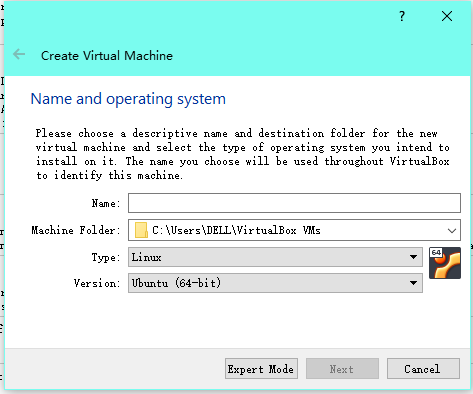
Open VirtualBox, then choose the corresponding operating system:
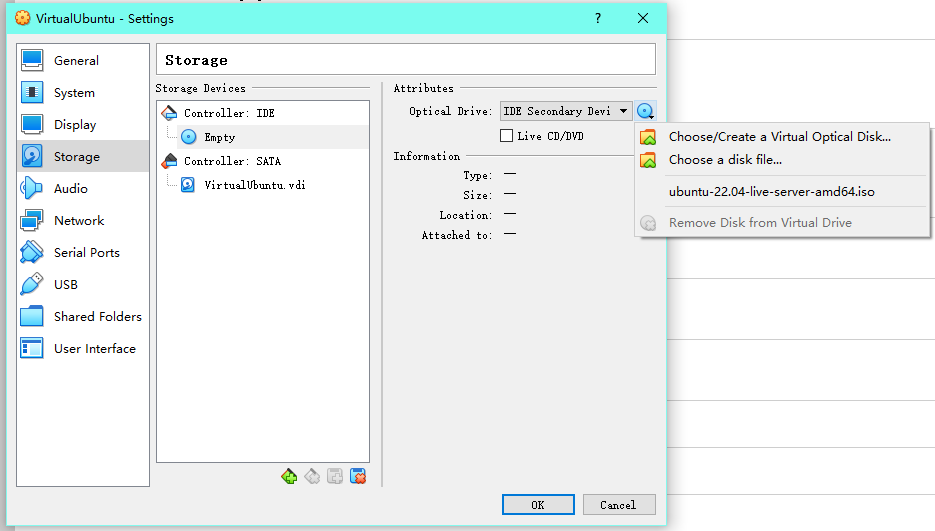
Mount the iso file on VirtualBox:
Format the disk space.
Complete the regular settings.
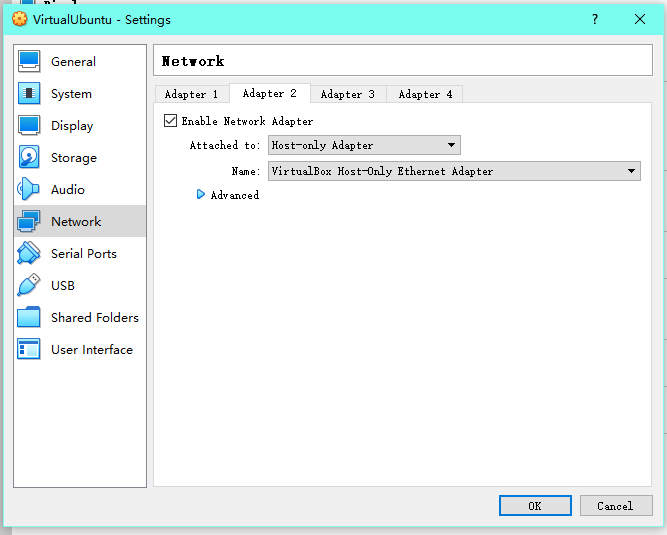
Set network adapters: _ there can be multiple adapters _ For my virtual machine, one adapter is used for NAT, the other one is used to connect to the host through ssh
remotely connect to the virtual machine through ssh: On host system, search for folder .ssh . There should be a public key id_rsa.pub . Then open it either using
1
cat id_rsa.pub
or
1
vim id_rsa.pub
Switch to the virtual machine, again, find .ssh folder and open it with
1
vim authorized_keys
and paste the public key to the file, then save and close the file with
1
:wq [ENTER]
Use
1
ip a
to chech the ip address of the virtual machine, and connect to the virtual machine through ssh remotely.